How to Set Up Bart Proxies with AdsPower: Step-by-Step (2 Minutes)
Adding a static residential ISP proxy to an AdsPower profile takes about as long as it takes to read the menu. Here's the clean version, no upsell.
AdsPower is the most popular anti-detect browser our customers run, so this guide gets asked the most. Good news: the AdsPower team already did most of the hard work — adding a proxy to a profile is genuinely a 2-minute job. Here it is.
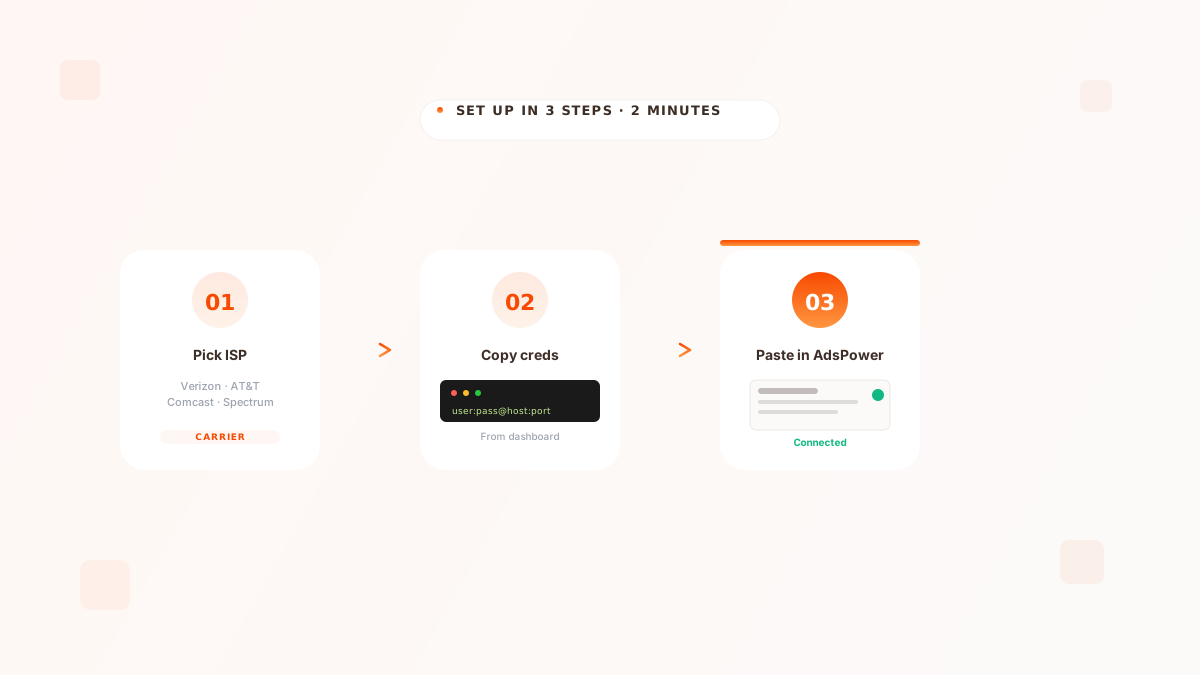
In your Bart Proxies dashboard, copy the proxy credentials (host, port, username, password). In AdsPower, click New profile → Proxy → Custom, set type to HTTP, paste the four fields, hit Check proxy, and you're done.
Step 1 — Get your proxy credentials#
Log into your Bart Proxies dashboard, open the proxy you want to use, and you'll see four pieces of information you need. Copy them somewhere temporary:
- Host — looks like
verizon.bartproxies.comor an IP literal - Port — usually
8000or similar - Username — your unique username for that proxy
- Password — the corresponding password
If you're managing more than 10 profiles, hit Bulk export in the dashboard and you'll get all credentials in host:port:user:pass format. AdsPower can import that directly via its bulk-create flow.
Step 2 — Open AdsPower and create the profile#
In AdsPower, go to Browser profiles → New profile. Give it a name that maps to whatever account it's for (we recommend matching your Bart Proxies username). Scroll to the Proxy section and switch the dropdown from "No proxy" to Custom.
For the Proxy type, pick HTTP. AdsPower also supports SOCKS5, and Bart Proxies serves both — they're functionally equivalent for browser traffic. HTTP just has the fewest "weird edge cases" we see in support.
Step 3 — Paste in the credentials#
Four fields:
Host: verizon.bartproxies.com
Port: 8000
Username: bp_user_XXXX
Password: ••••••••
Drop your values into the AdsPower form. Click Check proxy. After 1–2 seconds AdsPower will show you the public IP it sees through the proxy, plus the country, ISP, and timezone. You should see Verizon (or whichever carrier you picked) and the country you expected.
If "Check proxy" returns an error or shows the wrong ISP, the proxy is not actually attached. Don't launch the profile yet — fix the credentials first.
That's it#
Save the profile and launch. The browser opens with your assigned ISP IP, your AdsPower fingerprint, and full session isolation. Repeat for every profile.
If you're running more than 50 profiles, the reseller API is the cleaner path — you can spin up new ISP IPs programmatically and feed them into your AdsPower automation flow without ever opening the dashboard.
Was this article helpful?
Written by
Karam Mokdad
Founder, Bart Proxies
Karam runs Bart Proxies and has spent the last six years building proxy infrastructure for scraping, multi-accounting, and ad-tech operations at scale. He uses every product he ships.
Frequently asked questions
Either works. HTTP is the most common and has the fewest edge cases across AdsPower versions. SOCKS5 is slightly more flexible and is the right choice if you're routing non-HTTP traffic through the same proxy. For 99% of multi-accounting workflows, HTTP is fine.
No, never. The whole point of an anti-detect browser is profile isolation. Pointing two profiles at the same IP is the fastest way to get linkage detection on Instagram, TikTok, X, and any other major platform. One IP per profile, always.
Almost always one of: typo in the password, wrong port, or you're behind a corporate firewall blocking outbound on that port. Re-copy the credentials from your Bart Proxies dashboard, double-check the port, and try again. If it still fails, hop into the dashboard support chat and we can diagnose in 1 minute.